You Don't Need a Powerful Laptop to Build a Startup
· 9 min read
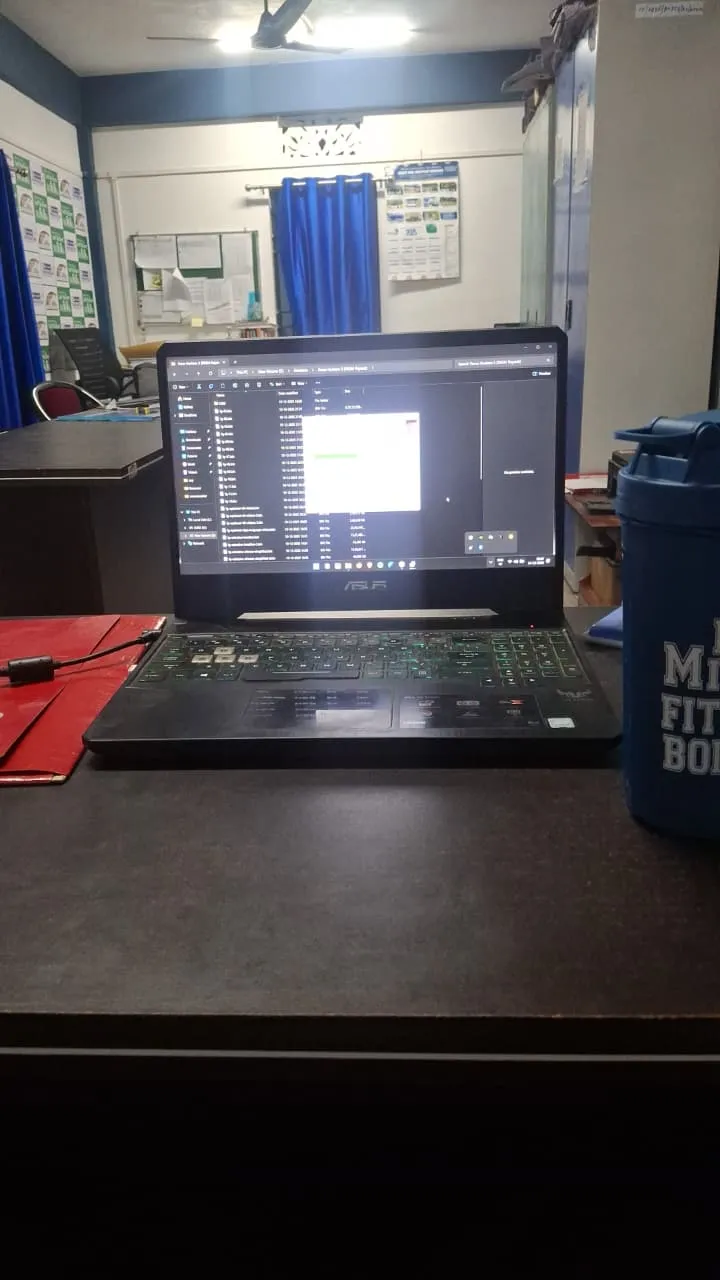
My laptop is dead. Not "running slow" dead — actually dead. The HDD failed, the battery won't hold a charge past twenty minutes, and the thermal paste is so old the fans sound like a leaf blower before I've even opened VS Code. It's an Asus TUF Gaming FX505 from 2019 — 8th-gen i7, 16GB RAM, GTX 1050 Ti. Solid machine in its day. Right now it's a paperweight with a keyboard.
Here's the part that makes this more than a hardware complaint: I can't just take it to a repair shop. I work and live in a remote part of Arunachal Pradesh, on a rural development programme in Sagalee Block. The nearest place with a real repair shop that stocks laptop parts is a drive I can't casually make on a weekday, and even then there's no guarantee they'd have the right SSD or a battery that fits a five-year-old gaming laptop. Repair is possible. Repair is just not available right now, and CreatorBit doesn't wait for that.
So I've been building on an office potato PC. Old integrated graphics, barely enough RAM to keep three Chrome tabs happy, can't run VS Code locally without the fans screaming and the whole thing freezing. And I'm still shipping. This post is about how, and about the excuses I used to make before I didn't have a choice anymore.
The Laptop That Started All This
The TUF FX505 wasn't a bad machine — I want to be fair to it. For three years it ran my local dev environment, handled Docker containers, compiled Next.js builds, and never once made me think about hardware. That's exactly the problem with a laptop that just works: you stop noticing how much of your workflow depends on it being alive.
When it started dying, it didn't announce itself. First the battery stopped holding charge, which I could work around by staying plugged in. Then the HDD started clicking on boot — the sound every developer learns to fear — and one day it just didn't mount. I lost nothing critical because everything real lives in GitHub and Supabase, but I lost the machine itself as a place to work.
The thermal paste issue is almost funny in hindsight. A laptop that runs hot enough to throttle isn't broken, exactly — it's just old. But old plus a dead HDD plus a dead battery adds up to a machine you can't trust to stay on for the length of a coding session, let alone survive being carried around a rural programme office all day.
If I lived in Guwahati or Bengaluru, this would be a two-day story: drop it off, get a new SSD and battery, move on. In Sagalee Block, it's a different math. Courier shipping for parts alone can take over a week each way, if the part is even available to order to begin with. So the laptop sits, and the work doesn't get to sit with it.
Working Off an Office Potato
The machine I actually have access to day-to-day is a shared office desktop — the kind of PC that exists to run spreadsheets and a browser, not a full IDE. Opening VS Code on it isn't really an option. It technically launches. It also makes typing feel like there's a half-second delay between my fingers and the screen, which is its own kind of unbearable once you've felt what a responsive editor feels like.
So I stopped trying to make VS Code work locally and stopped treating "local development environment" as a requirement at all. If the machine in front of me can open a browser tab, that's now the only hardware requirement my workflow has.
Why I Moved My Entire Dev Environment to the Browser
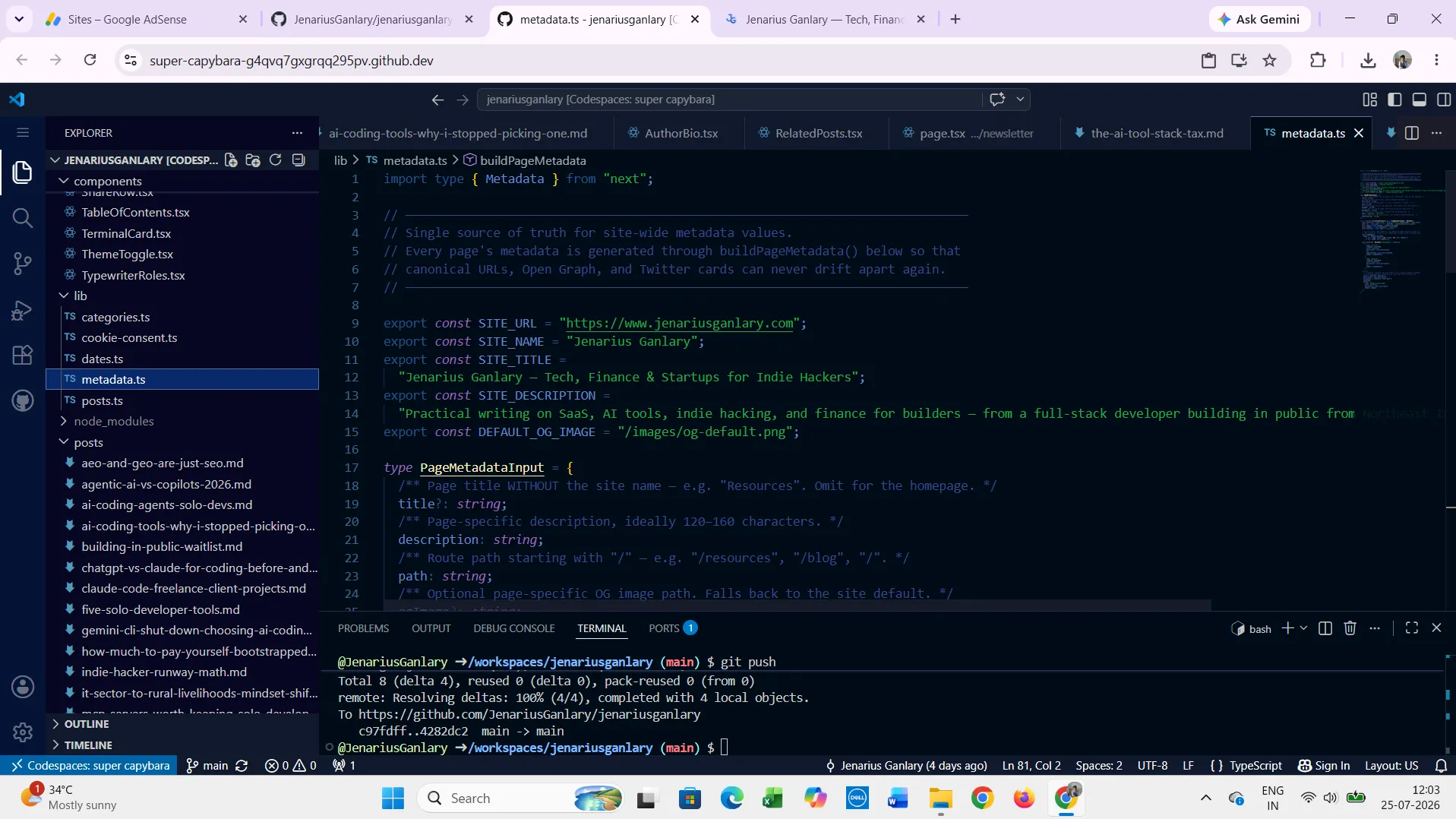
The setup is genuinely simple: GitHub Codespaces for the actual coding environment, and Claude in the browser for the parts of the work that used to require a second monitor and a lot of tab-switching between docs, Stack Overflow, and my own half-finished thoughts.
Codespaces spins up a full Linux dev container in the cloud — my repo, my dependencies, my extensions, all running on GitHub's compute instead of the potato in front of me. I open it from the browser, and what I get back is a real VS Code interface, just rendered remotely. The office PC doesn't compile anything. It doesn't run a single container. It's just a screen and a keyboard pointed at a machine somewhere else that's actually doing the work.
Claude in the browser sits alongside it for everything that isn't strictly "run this code" — debugging a weird Supabase RLS policy, thinking through an API design decision, or just rubber-ducking a bug before I've fully worked out what's wrong. None of that needs local compute either. It's a browser tab.
Put those two together and the honest answer to "what hardware do you need to build a SaaS product in 2026" is: something that can hold a Wi-Fi connection and render a webpage. That's it. That's the whole requirement.
If you've read 5 Tools Every Solo Developer Should Actually Pay For, this is really an extension of the same idea — the tools that matter most for a solo builder increasingly don't live on your machine at all, they live in the browser tab you already have open.
What Actually Works When You Have No Local Machine
The part that surprised me is how little I actually miss. My repo is there. My terminal is there — a real one, not a toy, with the same shell commands I'd run locally. Git works exactly the same because it's the same environment, just relocated. Extensions install and persist across sessions. When I close the laptop lid — sorry, the office PC, since there's no lid to close — and come back the next day, the Codespace is either still running or spins back up in under a minute with everything intact.
The thing I expected to be painful and wasn't: switching machines mid-project. I've opened the same Codespace from the office desktop, from my phone's browser during a field visit, and from a borrowed laptop at a colleague's place. Same environment every time, because the environment was never actually on any of those machines to begin with.
What Doesn't Work (the Honest Part)
I'm not going to pretend this setup is friction-free, because it isn't, and pretending otherwise is exactly the kind of thing that makes indie hacker content useless.
Internet in Sagalee Block is not internet in a city. Most days it's fine. Some days it drops mid-session and I lose the last few seconds of unsaved thought, not code — Codespaces autosaves aggressively enough that I've never actually lost committed work, but I have lost the mental thread of what I was doing. That's a real cost, just not the one people usually worry about.
Latency shows up in small, specific ways: autocomplete has a beat of lag that a fully local editor doesn't have. It's not enough to break flow, but it's enough that I notice it every single session. Cold-starting a Codespace after it's been idle for a while takes anywhere from twenty seconds to a couple of minutes, depending on the container size — long enough that I've learned to start it before I get coffee, not after.
There's a cost dimension too. GitHub Codespaces gives a free tier of core-hours per month, and I stay inside it by being deliberate about stopping Codespaces I'm not actively using rather than leaving them running in the background. Past that free tier it bills by the hour, which is a very different mental model from "I already paid for this laptop" — you feel every hour of compute as a live decision instead of a sunk cost.
And there are things I genuinely can't do this way. Anything that needs to run fully offline — a flight, a total connectivity outage during the monsoon, which happens here more than I'd like — is dead time for this workflow. I've started keeping a short list of tasks that don't need Codespaces at all (writing, planning, reviewing PRs I can read without running them) specifically so a bad connectivity day isn't a lost day.
The Excuses I Used to Make
Before the laptop actually died, I had a version of this setup half-built and never used it seriously. I told myself I needed a "real machine" to do real work — that browser-based development was fine for tutorials or toy projects but not for something like CreatorBit, which has actual users depending on it working.
That belief didn't survive contact with reality. The TUF dying didn't just remove my laptop, it removed the excuse. And once the excuse was gone, what was left was a workflow that had basically worked the entire time I'd been avoiding it.
I think this is a more common story than the "I need better hardware" narrative lets on. It's rarely actually about the hardware. It's about hardware being a comfortable, plausible-sounding reason not to start, or not to ship, or not to figure out the workaround you already half-know exists. A dead battery is a real constraint. "I'll build the MVP once I upgrade my laptop" is usually not.
If any of this AI-tooling side of the workflow is new to you, How AI Coding Agents Are Actually Changing How Solo Developers Ship goes deeper into how tools like Claude fit into a day-to-day build process, browser-based or not.
The Actual Lesson
If you wanted to, you could. That's the whole lesson, and it's less inspirational than it sounds — it's closer to an accusation, aimed mostly at my own past self. I had every tool I needed to build this way for over a year before I actually needed to. I just didn't, because the old laptop worked well enough that I never had to test whether the alternative was viable.
Constraints are annoying in the moment and clarifying in hindsight. A dead HDD in a place with no next-day repair option forced a decision I'd been avoiding: stop treating local compute as a requirement and start treating it as one option among several. Once compute moved to the cloud — for the dev environment and for the AI assistance — the actual bottleneck in building CreatorBit stopped being hardware and started being, as it probably always should have been, time and decision-making.
None of this is a pitch for working without a proper machine forever. I'll fix the TUF eventually, or replace it, because there are real advantages to having reliable local hardware you don't have to think about. But "I don't have the right laptop" stopped being a reason to not ship the moment I actually tried the alternative. It turns out the alternative was already good enough.
For more posts like this, see more Building in Public posts.
FAQ
Frequently asked questions
Do you need a powerful laptop to code or build a startup?
No. Modern cloud development environments like GitHub Codespaces run the actual compute — compiling, dependency installs, running the dev server — on remote servers, not your local machine. A laptop or desktop that can hold a stable internet connection and run a browser is enough to code, debug, and ship a real product.
Can you use GitHub Codespaces without installing VS Code locally?
Yes. Codespaces can be opened entirely in a browser tab, with no local VS Code installation required. You get the full VS Code interface, extensions, and terminal, all rendered from the browser while the actual environment runs on GitHub's servers.
What are the downsides of developing entirely in the cloud with no local environment?
The main downsides are internet dependency, small amounts of input latency compared to a fully local editor, cold-start time when a Codespace has been idle, and hourly billing once you exceed the free core-hour tier. It also doesn't work for tasks that require offline access.
Is it realistic to run a SaaS startup using only a browser-based dev environment?
Yes, with caveats. A browser-based setup like GitHub Codespaces paired with browser-based AI tools can fully replace a local dev environment for day-to-day coding, debugging, and shipping. The main planning consideration is internet reliability — anyone in an area with inconsistent connectivity should keep a short list of offline-friendly tasks (writing, planning, code review) for days when the connection drops.
Written by Jenarius Ganlary
Full-stack developer and MIS & Data Analyst, building CreatorBit and freelancing through Ganlary Labs. Writing about SaaS, AI, and startups as it happens.
More about me →KEEP READING