Claude Code Review 2026: Is Anthropic's AI Coding Agent Worth the Price?
· 6 min read
Claude Code is Anthropic's terminal-based AI coding agent that reads your entire codebase — not just the file you have open — and helps you generate, edit, debug, and review code through natural language. It runs in the terminal, a desktop app for Mac and Windows, VS Code, JetBrains, an iOS app, and inside Slack, with pricing that ranges from $20/month to $200/month depending on how hard you push it.
Most reviews stop at a feature list and a "yes, buy it" verdict. This one focuses on what actually trips developers up in daily use — the permission-prompt fatigue, how fast the cheaper plan's rate limits hit, and whether the new Agent Teams feature is worth paying more for — so you can pick the right plan instead of guessing.
What Is Claude Code, Exactly?
Claude Code is built around a simple premise: instead of pasting code snippets into a chat window, you give an agent access to your actual project and let it work the way a competent teammate would — reading files, running commands, proposing diffs, and executing multi-step changes with your approval at each step. By 2026 it ships with a 1-million-token context window in general availability, which means it can hold a genuinely large codebase in view at once rather than losing track of earlier files as a session goes on.
It also plugs into a growing MCP server ecosystem — GitHub, GitLab, Slack, Datadog, Linear, Supabase, Docker, PostgreSQL — so it can pull context from and take action in the tools your team already uses, not just the code itself.
How Claude Code Works Day to Day
You install it, point it at a project, and interact with it through natural-language prompts in your terminal or IDE. Because it reads the whole project rather than just an open file, it can navigate dependencies, recognize architectural patterns, and propose changes that are consistent with how the rest of the codebase is written — instead of generating code that technically works but doesn't match your conventions.
For code review specifically, Claude Code reads diffs and analyzes pull requests using tokens from your existing plan — there's no separate charge layered on top for review versus generation.
Claude Code Pricing: Pro, Max 5x, and Max 20x
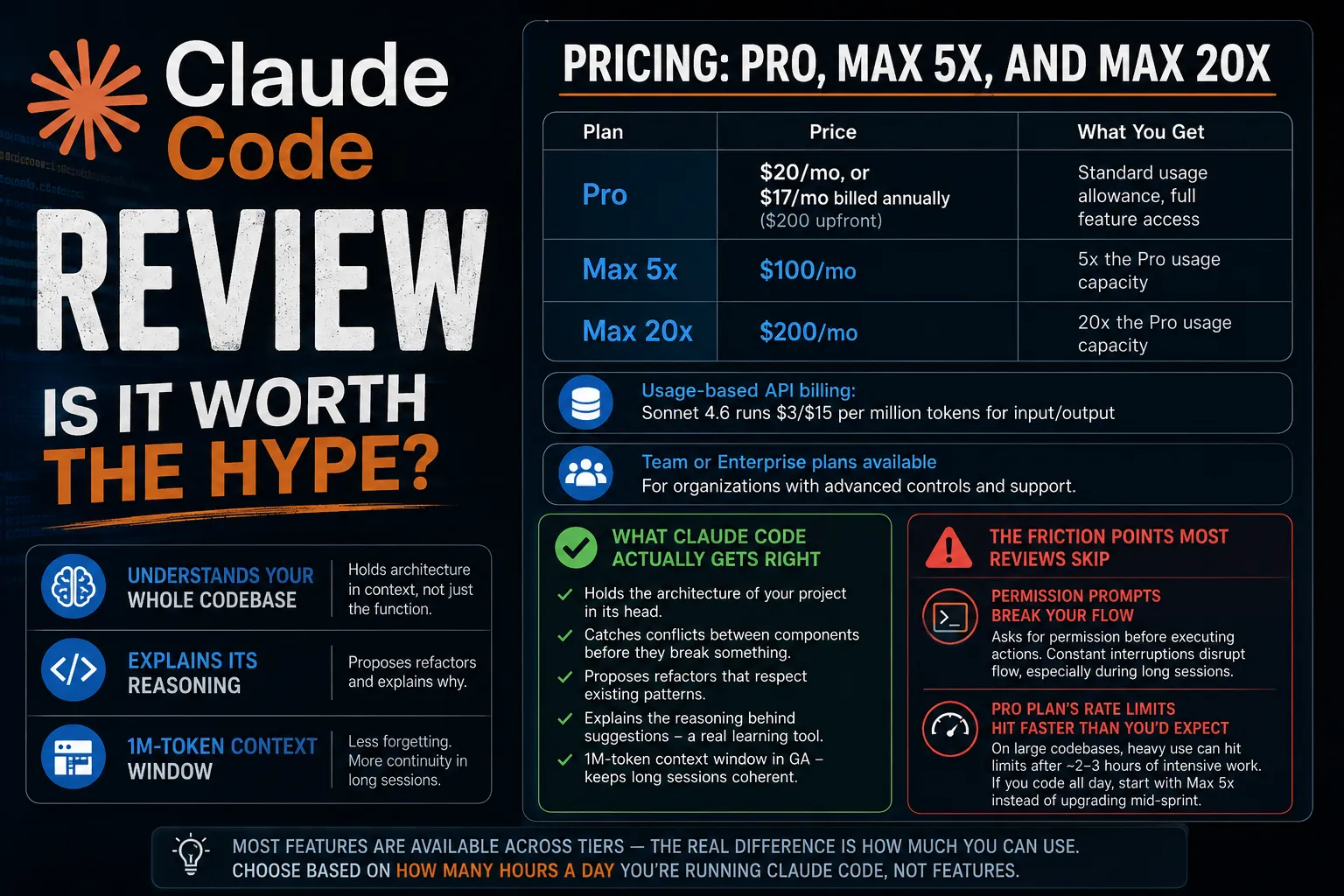
| Plan | Price | What You Get |
|---|---|---|
| Pro | $20/mo, or $17/mo billed annually ($200 upfront) | Standard usage allowance, full feature access |
| Max 5x | $100/mo | 5x the Pro usage capacity |
| Max 20x | $200/mo | 20x the Pro usage capacity |
There's also usage-based API billing (Sonnet 4.6 runs $3/$15 per million tokens for input/output) and Team or Enterprise plans for organizations. The plan you actually need depends less on which features you want — most features are available across tiers — and more on how many hours a day you're running it against a large codebase.
What Claude Code Actually Gets Right
The strength reviewers agree on consistently: it holds the architecture of your project in its head, not just the function you're looking at. That means it catches conflicts between components before they break something, proposes refactors that respect existing patterns, and can explain the reasoning behind a suggestion rather than just outputting code and moving on — which makes it genuinely useful as a learning tool when you're picking up an unfamiliar language or framework, not just a code generator.
It's also one of the few tools in this category with a 1M-token context window in general availability, which matters more than it sounds — it's the difference between an agent that re-reads and "forgets" earlier context in a long session and one that doesn't.
The Friction Points Most Reviews Skip
Permission Prompts Break Your Flow
Claude Code asks for permission before executing actions — running commands, making file changes — and while that's a reasonable safety default, it becomes a real source of friction once you're deep in a task. Developers consistently report that the constant interruptions for approval disrupt flow state in a way that's more annoying than a false sense of caution justifies, especially during long working sessions where you'd rather batch-approve a sequence of related changes than confirm each one individually.
The Pro Plan's Rate Limits Hit Faster Than You'd Expect
On large codebases, heavy use can burn through the Pro plan's allowance in a few intense sessions — rate limits have been reported to hit after roughly 2-3 hours of sustained, intensive work. If your workflow is a few short sessions a day, Pro is probably fine. If you're running Claude Code most of your working day against a sizable repo, budget for Max 5x from the start rather than hitting the wall mid-sprint and upgrading reactively.
Quality Drops on Messy, Undocumented Codebases
Claude Code performs best on well-documented, consistently structured projects of a reasonable size. On codebases that have accumulated years of technical debt, inconsistent conventions, or thin documentation, output quality gets noticeably less reliable — which is worth knowing before you assume it'll clean up a legacy mess on its own. It's a force multiplier on a codebase that's already in decent shape, not a fix for one that isn't.
Agent Teams: Claude Code's Multi-Agent Upgrade
Anthropic shipped Agent Teams in February 2026 as an upgrade to Claude Code's multi-agent capabilities. It works as a multi-instance coordination system: several Claude Code instances work in parallel on the same codebase, with one instance acting as the lead agent that receives the overall task, breaks it into subtasks, and synthesizes the final output. Teammates work independently within their own context windows — they don't share context with the lead or each other directly, but coordinate through a shared task board and direct messaging.
The catch: as of March 2026, every agent in a team runs the same model, and that model has to be Opus 5 — the most capable, and most expensive, tier. Agent Teams is a genuinely powerful feature for large, parallelizable tasks, but it's not something you'll casually reach for on a Pro-tier budget. Treat it as a Max-tier feature and factor that into which plan you pick if multi-agent work is why you're evaluating Claude Code in the first place.
Which Claude Code Plan Should You Actually Buy?
If you're using Claude Code for a few hours a day on a moderately sized project, Pro at $20/month ($17/month annually) covers most real usage without hitting rate limits constantly. If you work in Claude Code most of your day against a large or actively developed codebase, or you want to use Agent Teams regularly, budget for Max 5x at $100/month rather than fighting rate limits on Pro. Max 20x is worth it mainly for teams running heavy, sustained multi-agent workloads — for a single developer, it's overkill unless you have a specific reason to need that much headroom.
Is Claude Code Worth It?
For a well-structured, well-documented codebase, yes — the whole-project context awareness and the 1M-token window are a real advantage over tools that only see the open file. But go in with realistic expectations: the permission-prompt friction is a genuine daily annoyance, not a minor nitpick, and the Pro plan's rate limits will surprise you if you're a heavy user who assumed "unlimited enough." Match the plan to your actual usage pattern rather than defaulting to the cheapest tier and upgrading later out of frustration.
If you're also weighing it against OpenAI's coding agent, see the full breakdown in OpenAI Codex vs. Claude AI.
For more tool breakdowns like this, see more SaaS & AI Tools posts.
FAQ
Frequently asked questions
Is Claude Code worth the $20/month price?
For developers working on a well-documented, reasonably sized codebase, yes — the whole-project context awareness and 1M-token window are genuine advantages. If you use it heavily for several hours a day, budget for the $100/month Max 5x plan instead, since Pro's rate limits can hit after roughly 2-3 hours of intensive use.
What is Claude Code's biggest weakness?
The most consistently reported friction point is permission-prompt fatigue — Claude Code asks for approval before executing actions, which disrupts flow during long working sessions. Quality also drops on messy, undocumented, or technical-debt-heavy codebases compared to well-structured ones.
What is Agent Teams in Claude Code?
Agent Teams, shipped by Anthropic in February 2026, is a multi-agent coordination system where multiple Claude Code instances work in parallel on the same codebase, coordinated by a lead agent through a shared task board. As of March 2026, it requires every agent in the team to run Opus 5, making it a Max-tier feature rather than something available cheaply on Pro.
How much context can Claude Code handle?
Claude Code has a 1-million-token context window in general availability as of 2026, letting it hold a large codebase in view without losing earlier context during a long session — a meaningful advantage over tools limited to smaller context windows.
Written by Jenarius Ganlary
Full-stack developer and MIS & Data Analyst, building CreatorBit and freelancing through Ganlary Labs. Writing about SaaS, AI, and startups as it happens.
More about me →KEEP READING